
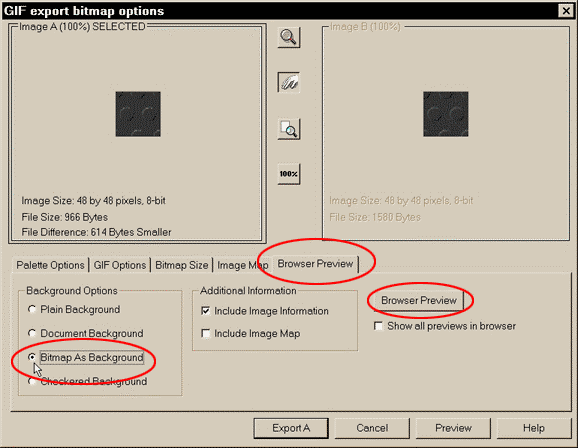
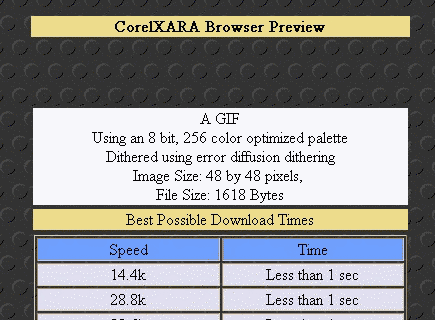
Click on the Browser Preview tab (as shown above). Select Bitmap As Background, and click on Browser Preview. Xara will automatically fire up your Web Browser and display your tiling image. If you select the Include Image Information option, Xara also includes the chart (shown below), providing image type, palette, size, file size and modem download times.
When you're tired of viewing the image, and the info, click Export A.