
Step-By-Step
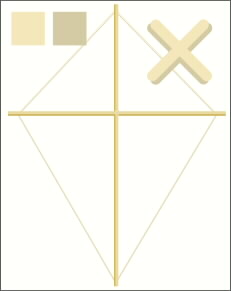
 Just so our kite is structurally sound let’s add some string. Place a copy of the kite shape on the page. Fill the original outline of the kite with a light yellow string color. Make a duplicate with a darker string color, offset down slightly and send to back. Make a small string X (like the greatly magnified one shown here) and place it over the intersection of the two supports.
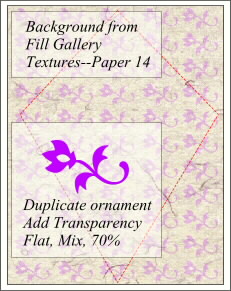 For the kite paper, draw a rectangle a bit larger than the kite shape. With the rectangle selected, open the Fill Gallery and (with the Xara CD ROM in your drive) select Textures and Paper 14. Create a repeating pattern using the Blend Tool. I've used a zippy flower from the Adobe Minion Ornaments collection. Group all of the ornaments, fill with purple, and apply Flat Transparency, Mix, 70%.
 PAGE BACK
HOME
NEXT PAGE TALK ROOM
EXIT TO CORELNET
PAGE BACK
HOME
NEXT PAGE TALK ROOM
EXIT TO CORELNET