
-
Step-By-Step Continued
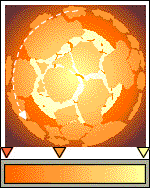 Select the larger element, create a duplicate (Ctrl D) and bring the duplicate to the front. Rotate the duplicate about 125 degrees. Change the custom fountain fill to make the colors deeper. This is the dark side of the exploding sections.
 Move everything but the background off the page for the time being. Select and duplicate the dark side (from above). Break it apart, give all the sections a solid fill, and reposition the elements about the page as shown. Delete some of the remaining shapes.
 PAGE BACK
HOME
NEXT PAGE TALK ROOM
EXIT TO CORELNET
PAGE BACK
HOME
NEXT PAGE TALK ROOM
EXIT TO CORELNET