
-
Step-By-Step Continued
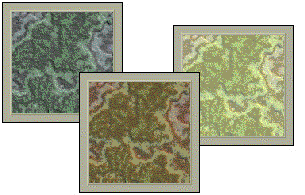 Apply a Texture Fill (Styles Library, Rock Swirled-Eroded, 2C) to the sections. Change the settings using light orange for the Light (bottom of fill menu). Make some lighter and darker using the Brightness setting on the Texture Fill menu.
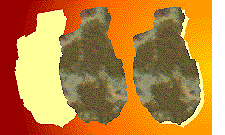 Create a duplicate of each shape, give it a light yellow fill, and offset it towards the center of the background. Bring the textured original to the front. The light yellow shapes create a highlighted edge. Elements farthest from the core will be darker as will their highlighted edge.
 PAGE BACK
HOME
NEXT PAGE TALK ROOM
EXIT TO CORELNET
PAGE BACK
HOME
NEXT PAGE TALK ROOM
EXIT TO CORELNET