
Step-By-Step (Continued)
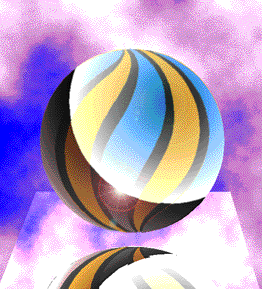 The finished image is Exported as a TIFF file and brought into Adobe Photoshop for some final tweaking. The Levels and Contrast are adjusted. The sphere is marquee-selected with an elliptical marquee and a Gaussian Blur applied to soften the sphere. Finally a Lens Flare Filter is applied adding realism.
 Notice how the hard edge between the horizon and reflection on the sphere gives it a highly polished appearence. This is created in the fountain fill. Page 4. A smoother transition will give the sphere a softer, less polished look.
