
-
Step-By-Step
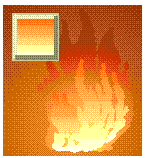 Select the smaller flames and Combine them (Ctrl L). This will create windows in the flames furthering the illusion of transparency. Remember, flames are supposed to look transparent. Apply a Custom Linear Fountain Fill beginning at the bottom with white, to pale yellow, and progressing to yellow orange.
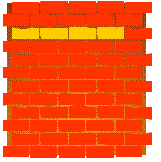 Next we’ll need some bricks for the back of the fireplace. Draw a rectangle and Convert it To Curves. (Ctrl Q) Make several duplicates (shown here in yellow) and use the Shape Tool to modify them slightly so that they are irregular in shape. Use the bricks and duplicates to fill out two rows and then duplicate the rows to fill in the background.
 PAGE BACK
HOME
NEXT PAGE TALK ROOM
EXIT TO CORELNET
PAGE BACK
HOME
NEXT PAGE TALK ROOM
EXIT TO CORELNET