
-
Step-By-Step
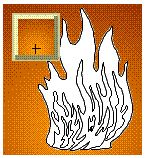 Put your log in a dry and safe place for the time being. Draw a rectangle and place your flame outlines inside. Apply a Radial Fountain Fill to the rectangle with a medium orange on the inside filling out to a reddish brown. Drag the center of the fill in the Fill Preview Box down as shown here to position the brightest part of the background behind the brightest part of the fire.
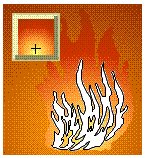 Fill the largest of the flames with a Custom Radial Fountain Fill so that the flames are just a touch lighter than the background. Drag the center of the fill down as shown here. This will heighten the illusion of transparency.
 PAGE BACK
HOME
NEXT PAGE TALK ROOM
EXIT TO CORELNET
PAGE BACK
HOME
NEXT PAGE TALK ROOM
EXIT TO CORELNET